
What a dispensary kiosk actually costs.

Straight answers on hardware, software, setup, and when to replace — the stuff vendors make you sit through a sales call to hear. Then, if you want your exact number, we'll show you live.

Get an Exact Quote

Per location
How Seed prices — never per screen
~1 week
Signed to live, styling and POS hookup included
2018+
iPad models still supported — hardware lasts
950+
Stores running Seed screens

THE BREAKDOWN

Three costs. Only one of them recurs.

1

Hardware — one-time

A kiosk is a consumer tablet in a commercial shell. iPads run roughly $350–$1,100 depending on model (Seed supports 2018 and newer); capable Android tablets often cost less. A floor stand or wall enclosure adds $150–$600. You can buy your own from our compatible hardware list — code SEEDSAMZN takes 10% off on Amazon — or we'll help fulfill the peripherals.

2

Software — monthly

Industry-wide, kiosk software runs from about $50 to a few hundred dollars a month. The number that matters is the pricing model: per-screen billing gets expensive the moment you add a second kiosk or a TV menu. Seed prices per location — unlimited screens, playlists, and users — so growing your in-store setup doesn't grow your bill.

3

Setup — mostly our problem

Typical timeline is about a week from signed to live: POS hookup, menu styling, hardware logistics, and getting your team comfortable running it. Opening another location later? We clone your config and you're live in hours.
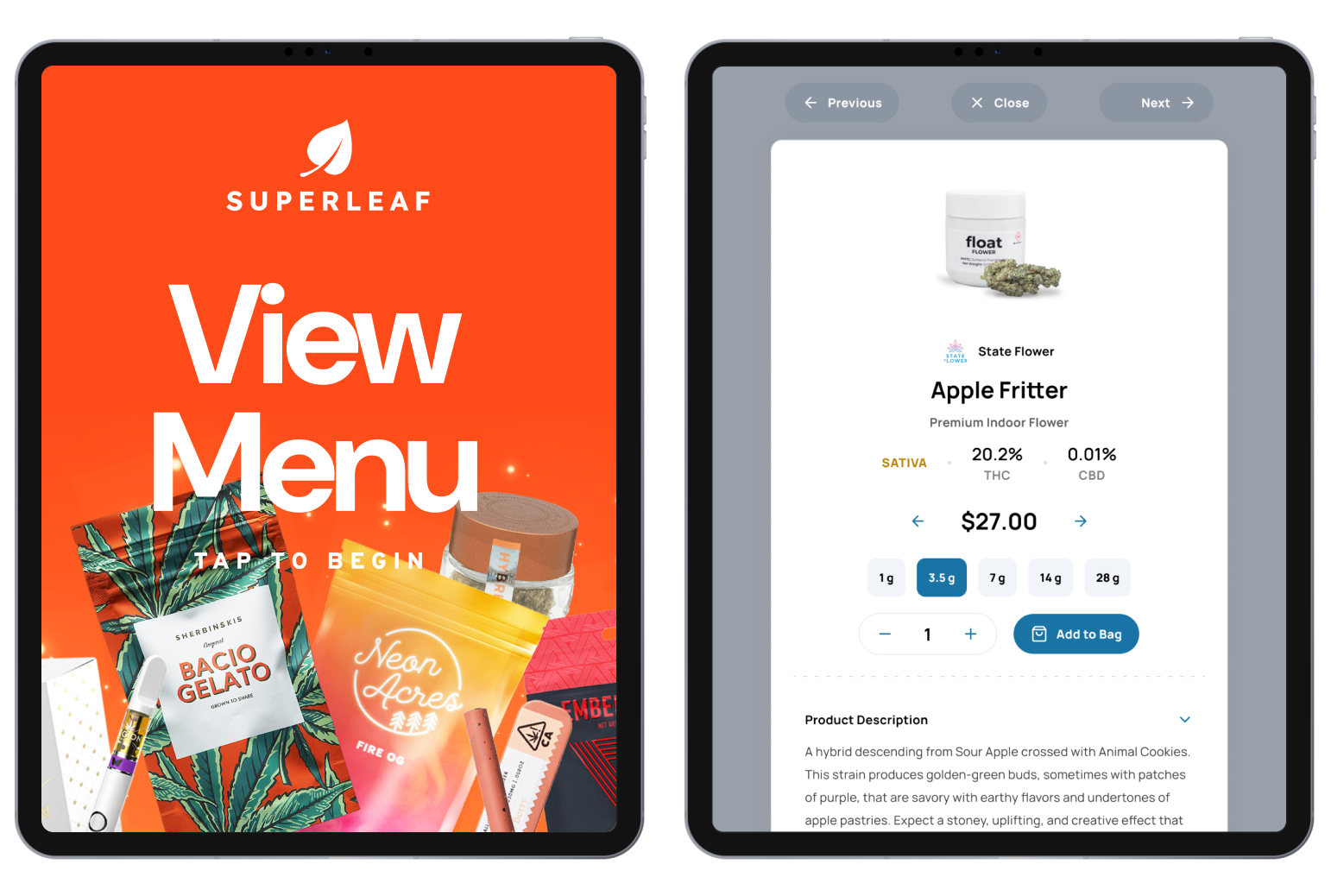
Seed Touch self-service kiosk in a dispensary

THE LABOR MATH

A kiosk doesn't replace a budtender. It un-buries them.

Regulars who already know their order serve themselves. Lines move faster during rush, carts get built without a wait, and your staff spends their time on customers who actually want a conversation — the ones kiosks can't help and humans sell best.

About Seed Touch

“It's definitely a throughput ROI … Seed screens help us process people quicker than we could without them.”

— Lauren Fontein, The Artist Tree · read the full story
Seed POS integration partners

LIVE POS SYNC

The price on the kiosk is the price at the register.

Seed Touch populates straight from your POS — Dutchie, Treez, Blaze, Flowhub, COVA and more. Shoppers only see in-stock products at correct prices, sold-out items disappear on their own, and on Dutchie they can join your loyalty program right at the kiosk.

See Our POS Integrations

Seed screens running in a dispensary

REPLACEMENT REALITY

Buy once, run it for years.

The tablet is the only part of a kiosk that ages. Plan a 3–5 year life and replace when OS updates stop — not on a vendor's schedule. Seed still supports iPads back to 2018, and stands don't wear out. Software stays current on its own; that's what the subscription is for.

Compatible Hardware List

Kiosk cost questions, answered

How much does a dispensary kiosk cost?

Plan on two buckets: hardware and software. Hardware is a consumer tablet — an iPad runs roughly $350–$1,100 depending on the model — plus a commercial stand or enclosure, typically $150–$600. Kiosk software across the industry generally lands between about $50 and a few hundred dollars per month, depending on whether the vendor bills per screen or per location. Book a demo and we'll quote your exact setup.

Is kiosk software priced per screen or per location?

Both models exist, and it's the single most important question to ask — per-screen pricing looks cheap at one kiosk and gets expensive the day you add more. Seed prices per location, not per device: unlimited screens, playlists, and users at every store.

How often should you replace a dispensary kiosk?

Less often than you'd think. The tablet is the only part that ages — plan a 3–5 year life, and replace when the OS stops getting updates or the touchscreen wears out, not on a schedule. Seed still supports iPads going back to 2018 models, so a well-chosen tablet has a long runway. Stands and mounts basically last forever.

What hardware do I need for a self-service kiosk?

A supported tablet — Apple iPads (2018 and newer) or an Android tablet with at least a 1200×1920 screen — plus a floor stand or wall mount. Seed can help fulfill the peripherals, and we publish a compatible hardware list so you can buy your own (code SEEDSAMZN takes 10% off on Amazon).

Does the kiosk connect to my POS?

That's the whole point. Seed Touch populates from your POS automatically — shoppers only see in-stock items at register-correct prices, on Dutchie, Treez, Blaze, Flowhub, COVA, and the rest of the majors. On Dutchie, customers can even sign up for Dutchie Loyalty right at the kiosk.

Do kiosks actually reduce labor costs?

A kiosk doesn't replace a budtender — it absorbs the transactions that never needed one. Regulars who know what they want order themselves, lines move faster, and your staff spends their time on the customers who want a conversation. One kiosk that handles even a modest share of orders is doing the work of a register during your rush. (For the TV-menu side of the labor math, run the menu labor calculator.)

Should my dispensary use a self-service kiosk or a tablet POS at the counter?

They do different jobs. A tablet POS at the counter is a budtender tool: it speeds up the transaction the staff member is already running. A self-service kiosk adds a second way to order, so shoppers who know what they want can build their own cart while budtenders handle the conversations that need a human. Most stores that add kiosks keep the counter exactly as it was; the kiosk takes the overflow.

Should I lease or buy dispensary kiosk hardware?

For Seed Touch the hardware is bought outright, and it is ordinary retail hardware: Elo touchscreens or iPads from 2018 on. The software is a per-location subscription with unlimited screens and users, so adding a second kiosk does not add a second bill. Leasing only makes sense if you are financing a large multi-store rollout at once.

How long does it take to get a kiosk running?

Typical timeline is about a week from signed to live, including menu styling and POS hookup. Adding kiosks to a new location later is faster — we clone your existing setup and you're live in hours.

YOUR EXACT NUMBER

Stop estimating. See your store on a kiosk.

Book a demo and we'll walk your setup — locations, screens, POS — and quote it precisely. No mystery-meat pricing, no per-screen surprises.

Book a Demo