
SPECIALS, POS TO WALL
Set the deal in your POS. It's on the TV.
No graphics, no retyping, no second system. The discount you already set at the register shows on every Seed screen, in the layout you already run, with strike-through pricing.
Dispensary specials get onto Seed TV menus straight from the POS. Set the discount in Dutchie, Treez, BLAZE, Flowhub, COVA, Meadow, or Weave the way you already do, and within minutes it shows on every screen with the original price struck through. End it at the register and it leaves the wall on its own. The only design decision is which layout the deals live in.
THE PIPELINE
Three steps, and you already do the first one
Set the discount in your POS
Percent off, dollar off, BOGO, bundle: whatever your POS supports, exactly where your team already builds deals.
Seed reads it
Products, prices, stock status, and specials come across together. Re-checked about every ten minutes by default; refresh on demand from Seed Manager.
Every screen shows it
The deal renders inside your layout with strike-through pricing: the sidebar, the specials screen, the kiosk. When the deal ends in the POS, it ends on the wall.
EVERY POS PARTNER
Where the deal lives, and what Seed shows
| Your POS | What syncs to the wall |
|---|---|
| Dutchie (and LeafLogix) | Discounts and specials set in Dutchie POS, Plus, or Hybrid, plus product images and live inventory. |
| Treez | Discounts set in SellTreez, with products, prices, and stock status. |
| BLAZE | Promotions and pricing set in BLAZE Retail. |
| Flowhub | Discounts set in Flowhub, alongside compliant inventory and pricing. |
| COVA | Discounts and pricing set in COVA. |
| Meadow | Discounts set in Meadow, with one inventory across in-store, online, and delivery. |
| Weave | Discounts and pricing set in Weave (WeaveIQ). |
| MJ Freeway, IndicaOnline, Flourish, Jane | Prices and inventory from the system of record; see the integrations page for what each one carries. |
Every one of these also feeds Seed Touch kiosks, so the deal on the wall is the deal on the kiosk.
LAYOUT OPTIONS
Pick where the deals live on the screen
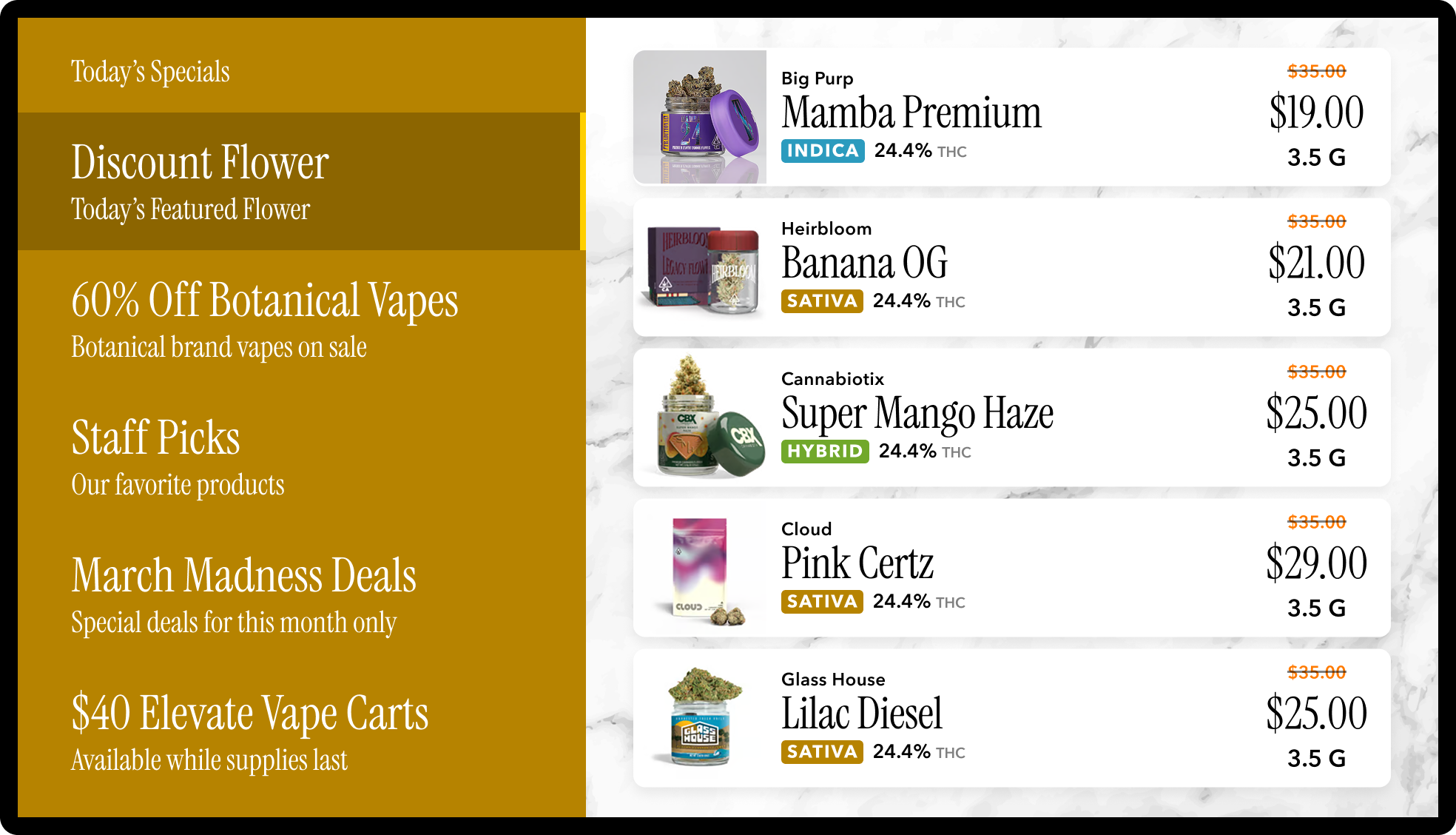



More layouts, by the job they do, in the Seed Signage Lookbook.

WHEN YOU WANT IT BIGGER
The POS sets the deal. Campaigns give it the room.
A synced special is a line in the menu. A campaign is the full screen: the 4/20 takeover, the brand launch, the holiday push, scheduled weeks ahead per store and per zone. Specials and promos covers the tools; the content calendar covers the year.
Deals-on-the-wall questions, answered
How do dispensary specials get onto TV menus?
Which POS systems sync specials to Seed?
Do I have to design anything to show a deal?
What is a specials sidebar layout?
How fast does a new deal show up on the wall?
Can I schedule a deal to appear on the screens ahead of time?
Can I show specials in my state?
YOUR DEALS, LIVE
Bring a deal from your POS. Watch it hit the wall.
Book a demo, share your POS, and we'll show your current specials on a Seed layout before the call ends.