
FEATURE SPOTLIGHT
The menu is the POS, on a wall
Seed doesn't copy your point of sale — it reads from it. Products, prices, specials, and stock update themselves on every screen, so the menu on the wall always matches the register.
WIRED IN
Not "compatible with" your POS. Wired into it.
Dutchie, Treez, Blaze, Flowhub, COVA, LeafLogix, Meadow, and more — seven years of cannabis-only POS integrations live under the hood. Prices come from the register. THC% comes from lab results. Nothing gets retyped, so nothing gets retyped wrong.
.png?width=1771&height=1026)
ACCURACY
If it's on the screen, it's on the shelf
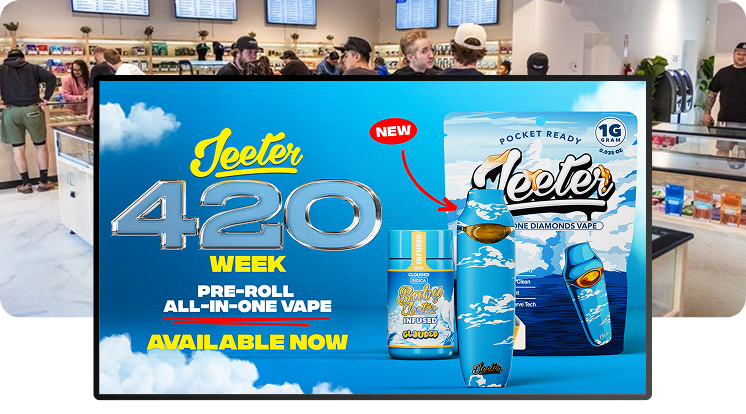
The worst moment in retail: a shopper points at the menu and the product sold out an hour ago. Sold-out items drop off on their own, low-stock rules pull items before the last unit disappears, and sale prices show with a strike-through so the deal reads as a deal.
ONE SOURCE OF TRUTH
Change it once. Every screen follows.
It's core to how we build: your team should never maintain a second system. Update the POS — the thing you already update — and menus at every store catch up in minutes. That's what makes the screens run themselves, and it's why scheduling and promos work without babysitting.
Why POS-fed menus beat hand-fed menus
Nobody Retypes Anything
Change the price in your POS and every screen follows. Menus stop being a chore the moment they stop being a copy of your POS.
Sold Out Means Gone
Items leave the menu on their own when the last unit sells. No shopper points at a product you can’t hand them.
One System, Not Two
Seed sits on top of your point of sale. Your team keeps working where they already work — the screens take care of themselves.
POS sync questions, answered
Which POS systems does Seed integrate with?
How fast do menu changes show up?
What exactly syncs from the POS?
Can I control what happens when stock runs low?
Our POS data is a mess. Will the menus look like a mess too?
Do I ever have to update products inside Seed?

SEE IT WITH YOUR DATA
We demo with your menu, not our mockups.
Share your POS API key on the call and we'll put your actual products, prices, and specials on a designed screen — live, before the demo ends.